
Exogeny Network™
Exogeny Network
I can Combine PDF files, from separate individual PDF files, into a Single PDF file, or any manner of combination of the original PDF files.

PDFelement 7 Professional from Wondershare Software
What happens when you want to produce professional content, but do not want to pay annual licensing fees or be bothered with a subscription?
A lot of PC and Mac users have to make a decision as to whether
or not they want to be burdened with an ongoing subscription for a large number
of software to handle very specific types of information, or very specifically
formatted information. There is a difference,
and it's a very important one. The greater
majority of online-distributed content and business information is distributed via
the PDF (Portable Document Format) in professional work environments around the
world. There are many who would say that
PDF is the Standard, and prefer the file format because of the simple ease of
having the world’s largest provider of the Software for Authoring the PDF
format most notably give away free PDF Reader software to any PC or Mac User
willing to download the tool to open the portable document format file.
In recent years, there has also been the availability of the
option to open the PDF format document inside of the web browser. This is a
part of making the use of the web browser integral for file viewing, and in the
case of specific software vendors, able to edit the documents in the web
browser as part of the working environment being delivered as much as possible
via the web browser.
For More Information on PDFelement 7 Professional from Wondershare visit https://pdf.wondershare.com
What happens when
you want to edit the PDF document? The
web browser options do not always allow the editing of PDF. Many online options allow the User to Print
to PDF, but not always allowing the editing of PDF contents.
For the purposes of editing PDF
files, and producing PDF files from other formatted documents, I choose to use PDFelement 7 Professional from Wondershare software.
What can I do when editing PDF
files, and producing PDF files from other formatted documents? I choose to use PDFelement 7 Professional from
Wondershare software for these tasks.
I can Edit PDF files with ease in
PDFelement Professional 7. I can add,
delete, cut, copy , paste and edit text, images and other objects in a PDF
file. Not simply covering the area of
the PDF file with an additional layer of white (background) space and then
pasting text, image, or other objects on top of that white background
space. Believe me, I have seen
"software products" that did exactly this.
Not to worry with PDFelement Professional 7, you are getting a brand new PDF file from the contents you select from the old file.
Not to worry with PDFelement Professional 7, you are getting a brand new PDF file from the contents you select from the old file.
I can Create PDF files from a wide range of file formats - Microsoft® Excel, Word, PowerPoint, Image files, etc.
I can Batch Process multiple
documents using Wondershare PDFelement Pro 7.
Perform multiple PDF file
conversion, data extraction (like from Microsoft® Excel tables inside of PDF
files), and more operations in bulk.
Imagine having PDF printable files
for financial tables in print-only form from an End-of-Year Report, but no
access to the actual Microsoft® Excel files that the original Report was
generated from. If you are required to
perform any form of analysis of the numerical data in the report, you would
have to manually re-enter the tables into Microsoft® Excel. This would take many hours, and possibly
delegating the data entry work to Staff members, increasing their workload,
mental stress, and the possibility of human error due to these factors. PDFelement Professional 7 will allow me to
use PDF files, or even the printout copy itself. PDFelement Pro 7 will import paper documents
from my peripheral document scanner or from an image file generated by my smart
phone, in an emergency.
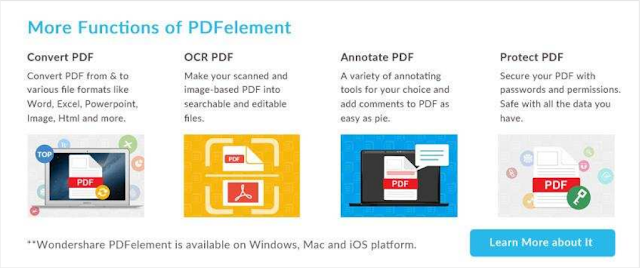
I can Convert the PDF files, into
an editable Microsoft® Word, PowerPoint or Excel file, while retaining the
original layouts, formatting, and tables.

OCR (Optical Character Recognition) PDF
Make your scanned and image-based PDF file into searchable and editable files.
Annotate PDF
A variety of annotating tools for your choice and add comments to a PDF file as easy as pie.
Protect PDF
Make your scanned and image-based PDF file into searchable and editable files.
A variety of annotating tools for your choice and add comments to a PDF file as easy as pie.
Protect PDF
Secure your PDF with passwords and permissions. Be Safe with all the data you have in your PDF files.
I can Combine PDF files, from separate individual PDF files, into a Single PDF file, or any manner of combination of the original PDF files.
There are also PDF Templates available with PDFelement Professional 7.
For More Information on PDFelement 7 Professional from Wondershare visit https://pdf.wondershare.com

